
01
Scan
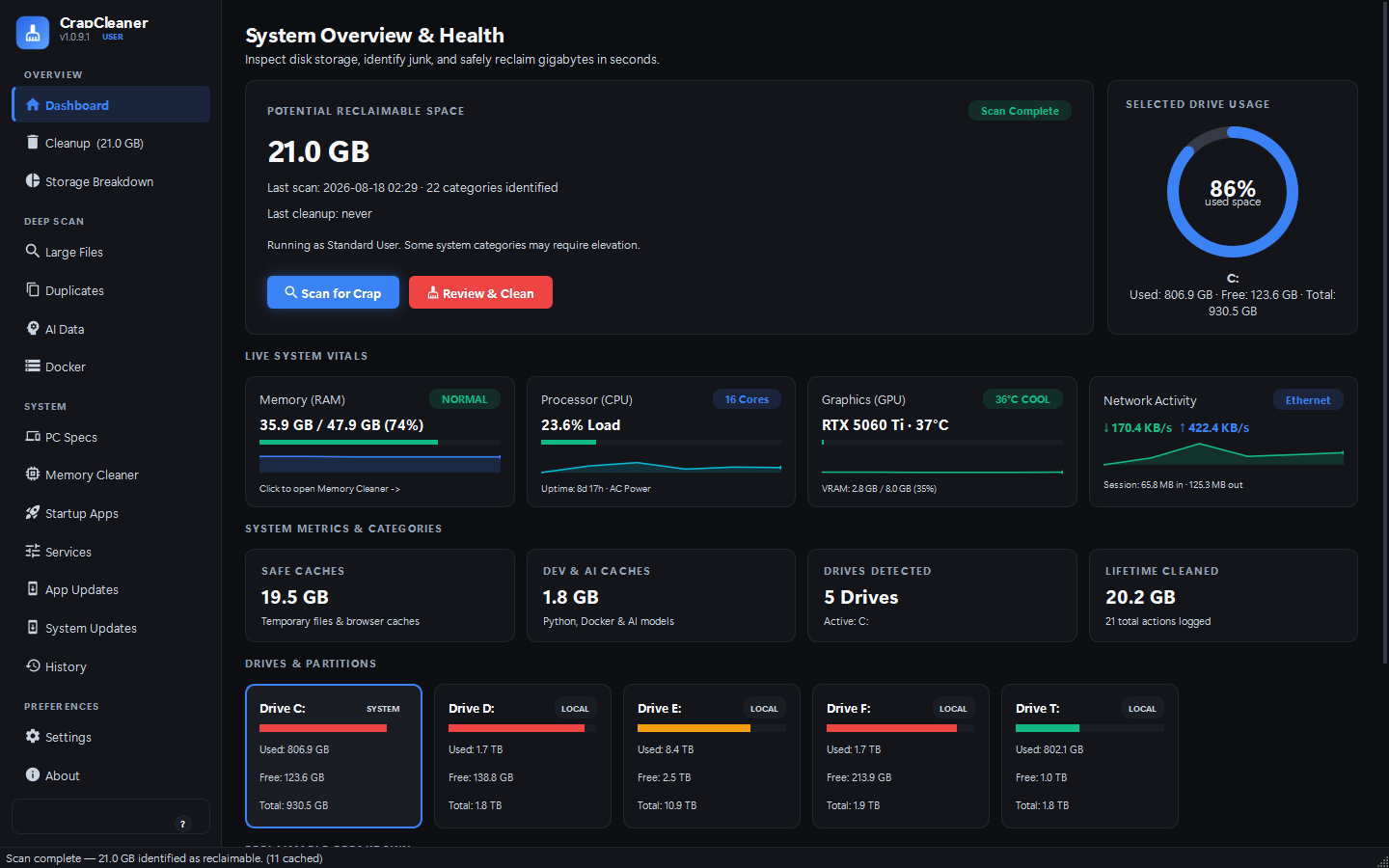
More than 75 cleanup targets covering Windows system files, developer tools, package managers, game launchers and browsers. Each one reports its item count and size before you decide.
Windows and Linux · MIT licensed
CrapCleaner finds temporary files, developer build caches, package manager stores and browser caches, tells you what each one contains and why removing it is safe, then sends it to the Recycle Bin instead of deleting it outright.
How it works
Most cleaners ask you to trust a progress bar. CrapCleaner shows the reasoning behind every category before you delete anything.
01
More than 75 cleanup targets covering Windows system files, developer tools, package managers, game launchers and browsers. Each one reports its item count and size before you decide.
02
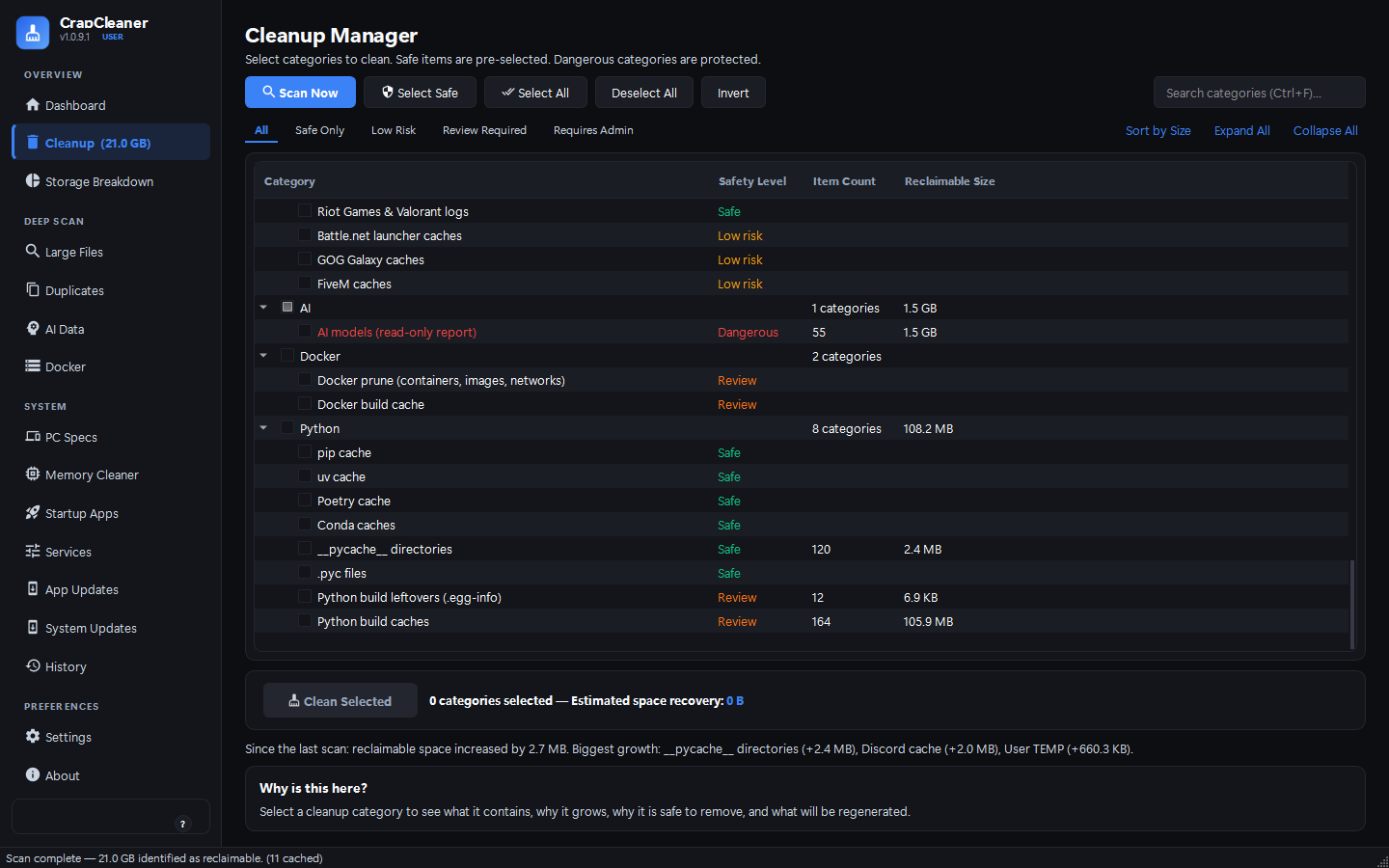
Select any category and it tells you what it contains, why it grows, why removing it is safe, and what the system will regenerate afterwards. The preview lists every candidate file with its size and safety level.
03
Deletions go to the Windows Recycle Bin or the FreeDesktop Trash by default, so a mistake is a restore rather than a recovery. Every run is written to a local audit log.
Safety
These are design constraints in the codebase, not marketing promises. They are enforced by a central protection layer and covered by the test suite.
Every target has a documented reason for existing and a documented reason why deleting it is safe.
CrapCleaner does not clean, optimise, defragment or repair the Windows registry. There is no measurable benefit and there is real risk, so the feature does not exist.
Hard-coded rules keep operating system files, user document roots, .git repositories, SSH keys, browser credentials and game saves out of reach of every cleanup path.
Scanning, preview and cleanup all detach symlinks and Windows directory junctions rather than descending through them. Deleting a tree removes the link and leaves its target untouched.
Deletions are sent to the Recycle Bin on Windows or the FreeDesktop Trash on Linux unless you explicitly choose otherwise.
No tracking, analytics, advertising or network reporting. The application runs entirely on the local machine.
Safety tiers
Safe categories are pre-selected. Dangerous ones are never selected automatically and are reported read-only.
| Tier | Meaning | Examples |
|---|---|---|
| Safe | Temporary files the system regenerates on its own. | User and system TEMP, crash dumps, pip and uv caches |
| Low risk | Caches that are rebuilt on demand. Removing them costs a slower first run, nothing else. | Browser HTTP and GPU caches, shader caches, launcher caches |
| Review | Items that are safe in most cases but need a deliberate decision from you. | Windows.old, Recycle Bin contents, Docker prune |
| Dangerous | Never selected automatically and never cleaned. Reported read-only so you can see the size. | AI model weights, operating system recovery data |
Interface
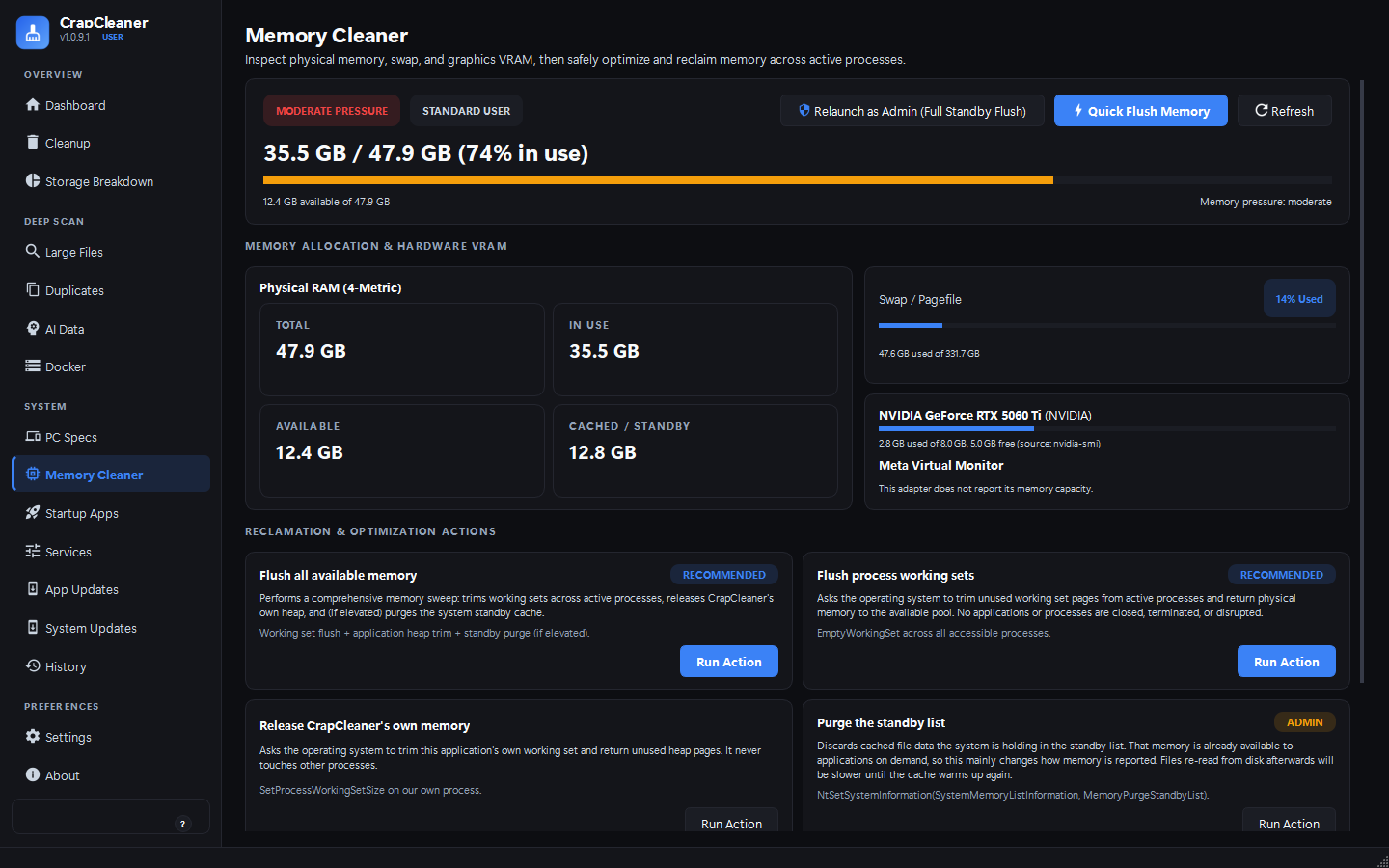
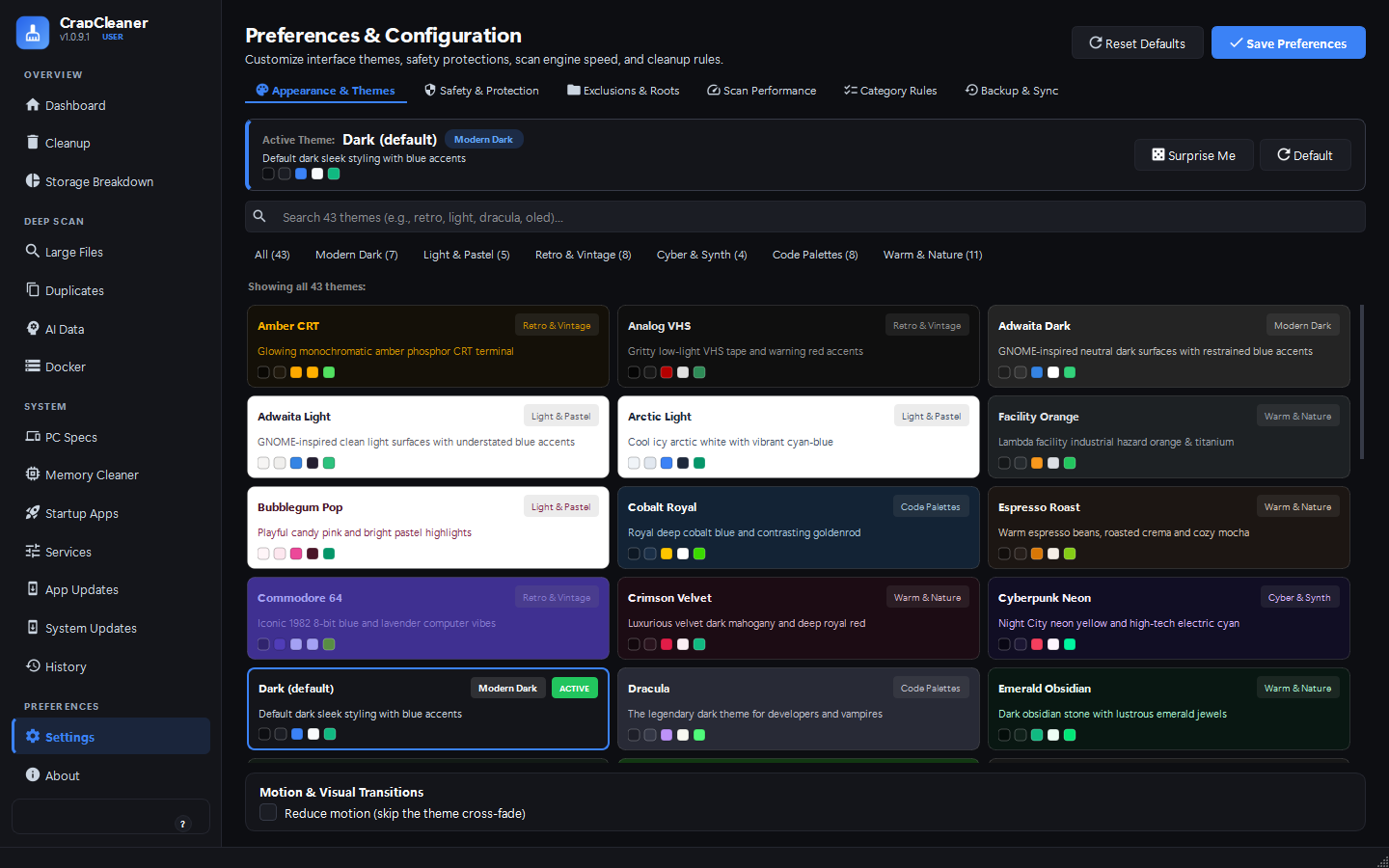
Built with PySide6. Keyboard navigable, resizable, and themed with 44 built-in palettes plus a custom theme studio that previews a working miniature of the application, rates every colour pair it draws against WCAG AA, and restyles the whole window as you edit.
Platform support
Shared features use each platform's own tooling and vocabulary. A feature whose tooling is missing is hidden rather than shown broken.
| Feature | Windows | Linux |
|---|---|---|
| Cleanup, storage breakdown, duplicates, large files | Yes | Yes |
| Startup applications | Registry Run keys, Startup folders, Task Manager flags | XDG autostart entries |
| Services | Windows services via CIM, with an sc.exe fallback |
systemd system and user units via systemctl |
| System updates | Windows Update COM API and hotfix history | apt, dnf, pacman or zypper |
| Application updates | winget, chocolatey |
apt, flatpak, snap, pacman, dnf |
| Reversible deletion | Windows Recycle Bin | FreeDesktop Trash |
| Privilege escalation | UAC, for the whole process | pkexec, per command, so it never runs as root |
Run crapcleaner --capabilities to see exactly what the current system reports.
Command line
Every command accepts --json. Cleanups are a dry run unless you pass
--execute.
# See what could be reclaimed
crapcleaner --scan

# Machine-readable output
crapcleaner --scan --json

# Show the manifest before deleting anything
crapcleaner --cleanup-preview

# Clean the safe tier, for real
crapcleaner --clean-safe --execute
# Where the space actually went
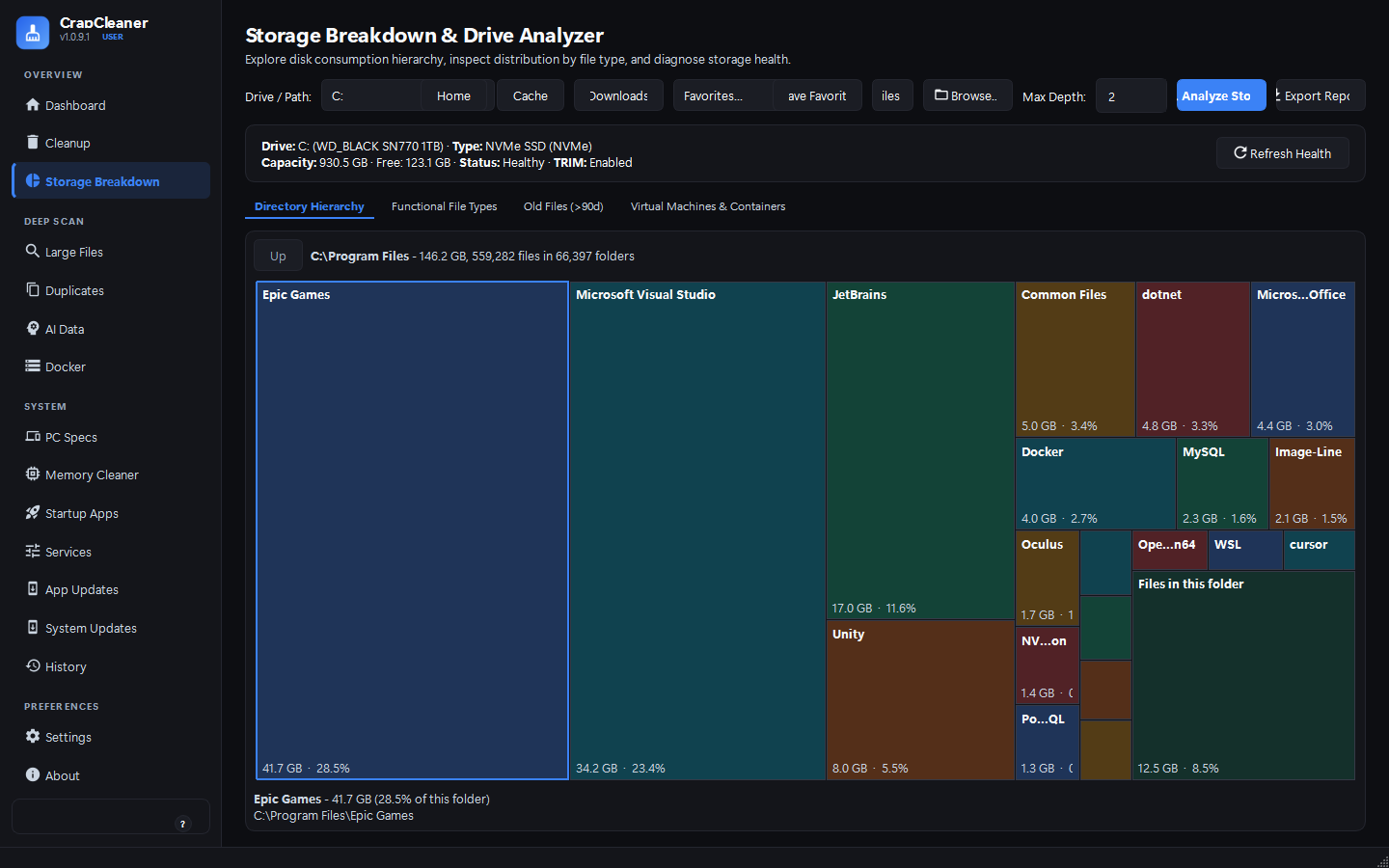
crapcleaner --storage ~/

# Drive health and TRIM status
crapcleaner --disk-health

# Disks, counters, and fragmentation
crapcleaner --drives
crapcleaner --analyze-drive C

# Find duplicates over 10 MB
crapcleaner --duplicates ~/Downloads \
    --min-dup-size 10MB

# Export a report
crapcleaner --scan --export csv --output scan.csv
A single portable executable for Windows or Linux, with no installer and no runtime to set up. Or clone the repository and run it from source.